


Short answer. An AI acceptable use policy is a one-page set of rules that tells staff which AI tools they may use, what information must never go into them, which outputs need a human check before they leave the building, and who to ask. For an Alberta business it sits on top of the duty under PIPA to protect personal information and the confidentiality terms in your client contracts. The template below is written in plain language so you can adapt it in an afternoon.
Figures and guidance verified 23 September 2026. Not legal advice.
Half of Canadian workers now use generative AI on the job, so any AI acceptable use policy you write today is catching up with habits people already have. KPMG’s survey of 2,239 Canadian employees in August 2025 put the share at 51%, up from 46% a year earlier. In the same survey, 83% said they wanted or needed better training.
So your staff are already using it. The open question is what they paste into it, and who told them what was allowed.
IBM’s Cost of a Data Breach Report 2025 gives a sense of how often nobody did. Of the breached organizations IBM studied, 63% had no AI governance policy, and one in five had a breach linked to shadow AI, meaning AI tools staff use without the company knowing or approving. Those breaches added up to US$670,000 to the average cost.
The usual response is a twelve-page document from legal that gets signed at onboarding and never opened again. I think that version does more harm than having nothing, because it lets the leadership team believe the problem is handled. A policy only works if a site coordinator in Grande Prairie can hold the whole thing in their head.
That means one page.
What goes in an AI acceptable use policy?
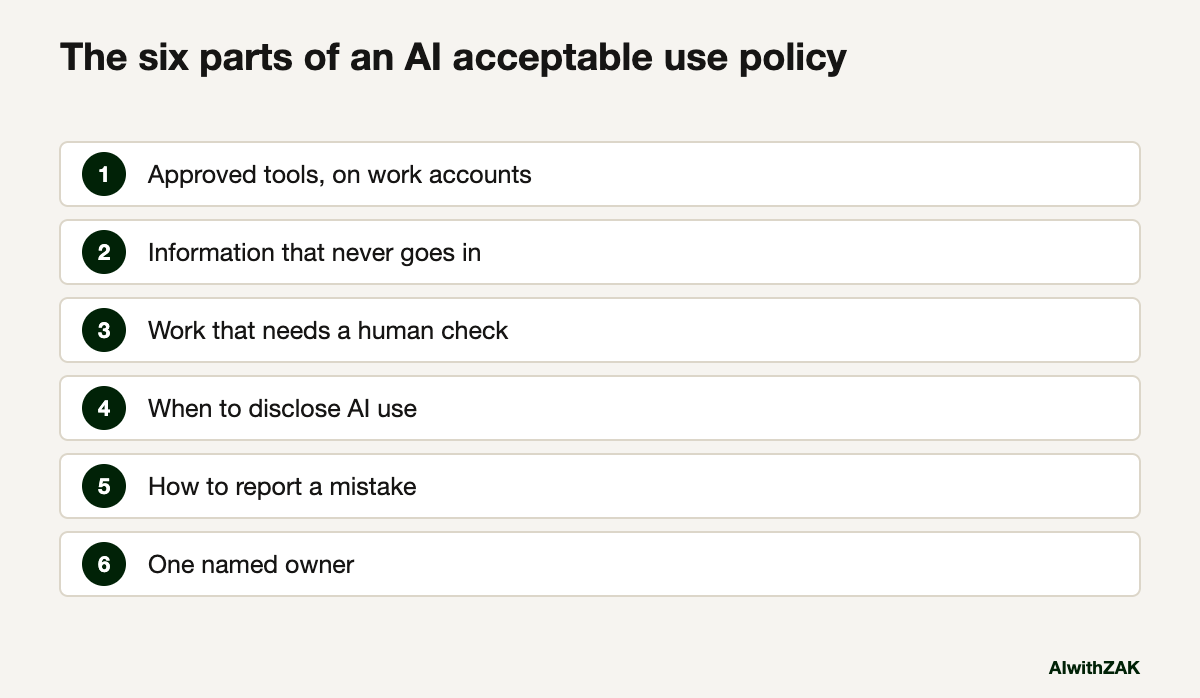
It needs six parts: approved tools, information that never goes into any tool, work that needs a human check, when to disclose AI use, how to report a mistake, and one named owner. Anything longer belongs in a procedure or training.
Most of the policies that fail do so by trying to cover every tool by name. Tools change every quarter. Your data doesn’t. Write the rules around the information, and keep the tool list as a short appendix that the owner updates without a rewrite.
The second failure is writing rules for a tool nobody has paid for. If the policy says “use the approved tool” and the approved tool doesn’t exist, people will keep using the free version on their phone. My position is simple: buy business accounts for the people who need them before the policy goes out. The policy then has somewhere to point.
The third is leaving out a named person. A rule with no owner is a suggestion. Pick someone with the authority to say yes, which is usually not the IT contractor. Who should own AI in your company covers how to choose.
A one-page AI acceptable use policy template you can copy
Copy the clauses below into a document, replace everything in square brackets, and cut any clause that doesn’t apply. Keep the wording plain. If a clause needs a paragraph of explanation, the explanation goes in training, and the policy stays at one page that staff will read.
[Company name] AI acceptable use policy. Effective [date]. Owner: [name and title]. Reviewed every [three] months.
1. Why this exists. We want you to use AI. It saves time on drafting, summarizing, research and admin. This page sets the few rules that protect our clients, our people and our reputation.
2. Approved tools. Use only the tools on the approved list at the bottom of this page, signed in with your work account. Never use a personal account for work. If you want a tool that isn’t listed, ask [owner]. You’ll get an answer within [five] working days.
3. Never put this into any AI tool. Passwords, access codes or keys. Banking, credit card or government ID numbers. Health information about anyone. Employee files, pay or discipline records. Anything a client contract marks as confidential. [Add your own: bid numbers before submission, drawings, well data, legal files.]
4. Handle this with care. Names, emails and phone numbers of customers or staff, and internal financials, may go only into approved tools on work accounts, and only when the task needs them. If you can take the names out first, take them out.
5. Check before it leaves. You own anything you send, sign or publish, whoever or whatever drafted it. Read AI output in full before it goes to a client, a regulator, a job site or the public. Check every number, name, date, quote and reference against the source.
6. People decisions stay with people. AI does not decide who gets hired, disciplined, promoted, approved, refused or priced. It can help prepare. A named person makes the call and can explain it.
7. Tell people when it matters. Tell everyone before an AI tool records or transcribes a meeting. Tell the reader when AI wrote something they would reasonably expect a person to have written, such as a reference or a personal letter.
8. No connections without approval. Don’t connect an AI tool to email, calendars, shared drives, accounting or customer systems, and don’t let it act on your behalf, without written approval from [owner].
9. Mistakes. If something went in that shouldn’t have, tell [owner] the same day. Reporting a mistake early is never a disciplinary matter. Hiding one is.
10. When unsure. Leave it out and ask [owner].
Approved tools: [tool, plan, who has access]. I have read this page. Name, date.
That runs to roughly 400 words, which fits on a page with room for a signature line. Resist adding clauses. Every rule you add dilutes the three that matter most: clauses 3, 5 and 9.
Paste this into your AI. Use a business account, and fill in the brackets before you send it.
Below is a one-page AI policy template. Rewrite it for my company.
About us: [industry], [number] staff, based in [Alberta town or city], clients in [provinces or countries].
AI tools we pay for: [list]. What our main client contracts say about confidentiality: [summarize in your own words, no client names].
Rules for your rewrite:
1. Keep it to one page and a grade 8 reading level.
2. Fill the "never put this into any AI tool" list with examples from our actual work.
3. Flag any clause that conflicts with the contract terms I described.
4. Don't add clauses I didn't ask for. List anything you think is missing separately, underneath.
[paste the template]
Which company data can go into which AI tool?
Sort your information into three groups before you pick tools. Public and routine material can go anywhere approved. Customer and staff details go only into paid business accounts on work logins. Credentials, health information, ID numbers and anything a contract marks confidential stay out of AI tools altogether.
A table on the back of the policy page does more than any paragraph. Staff will remember a colour faster than a clause number.
| Group | Examples | Where it can go |
|---|---|---|
| Green: public or routine | Published website copy, job ads, generic emails, meeting agendas, public regulations | Any approved tool |
| Amber: internal or personal | Customer names and contact details, internal financials, draft proposals, staff schedules | Approved business accounts on work logins only, with names removed where the task allows |
| Red: never | Passwords and keys, banking and ID numbers, health information, employee files, confidential client material | No AI tool, unless the owner approves a specific system in writing |
The red list is short on purpose. If you put half the business on it, people will ignore the whole thing, and you’ll be back to shadow AI in your company within a month.
For the detail on consumer versus business accounts, see the guide to putting company data into ChatGPT safely.
Does an Alberta business legally need an AI policy?
No Alberta or federal law requires a document titled “AI policy”. PIPA does require private-sector organizations to protect personal information with reasonable security and to have written policies on how they handle it. Once staff put personal information into AI tools, those duties cover the AI use too.
The Government of Alberta’s summary of PIPA duties lists reasonable security safeguards, keeping personal information only as long as it is reasonably needed, reporting breaches that pose a real risk of significant harm to the Office of the Information and Privacy Commissioner, and written policies that are available on request. None of it mentions AI. All of it applies when a staff member pastes a customer file into a chatbot.
The regulators have also been specific about AI. In December 2023, Canada’s federal, provincial and territorial privacy commissioners, Alberta’s included, published principles for generative AI. For organizations using these tools, they advise using anonymized or de-identified information in prompts where possible, and checking outputs for accuracy before relying on them in decisions about people.
In May 2026, the same group of commissioners, again including Alberta’s, published the findings of their joint investigation into OpenAI. They found problems with how personal information was collected to train earlier models, and the report records that OpenAI advises users not to share sensitive information in ChatGPT. Clause 3 of the template says the same thing in plainer words.
Your contracts may be stricter than any statute. The guide to AI regulation for Alberta businesses walks through which rules reach you, and the confidentiality clause in your biggest client agreement is worth reading before you finalize clause 3. This is a practical map, not legal advice.
How do you get staff to follow an AI policy?
Roll it out in a short meeting, using examples from each team’s real work, with the approved tools already paid for and working. Offer an amnesty for anything used before the policy existed. Then review it every quarter, because tools and staff habits will have moved.
Emailing the PDF is where most rollouts die. Put twenty minutes on the agenda of a meeting that already happens. Show one green, one amber and one red example from that team’s actual week: a dispatcher’s route notes, an estimator’s bid sheet, a bookkeeper’s payroll export.
The amnesty matters more than it sounds. If people think admitting past use gets them in trouble, you will never learn which tools are already holding your data. Ask what they have been using, write it down, and move the useful ones onto business accounts.
Supervisors carry the policy after the meeting ends. If a crew lead in Nisku shrugs at clause 5, the crew will too, which is why I’d train supervisors first and staff second. The AI training for business teams page describes what that session can look like.
Then put a quarterly review in the owner’s calendar. Check the approved tools list, read the mistake reports, and ask each team which rule got in the way. The AI governance checklist is a good frame for that review, and the policy is the piece of it that staff actually see.
Once agents enter the picture, clause 8 does most of the work. The rules for giving an AI agent access pick up where this page stops.
Write the page this week, get it signed at your next all-hands, and let the first quarterly review tell you what to change.
Questions people ask
An AI acceptable use policy is a short document telling employees which AI tools they may use for work, what information must never be entered into them, which AI outputs need a human check, when to disclose AI use, and who to contact with questions or mistakes. It works best at one page, in plain language.
No law requires a document called an AI policy. Alberta’s Personal Information Protection Act does require reasonable security for personal information and written policies on how it is handled. When staff use AI tools with customer or employee information, those existing duties apply to that use. This is general information, not legal advice.
A blanket ban usually pushes use onto personal phones and accounts, where the company has no visibility. A better approach is to pay for business accounts for the people who need them, approve those tools in writing, and ban specific categories of information, such as passwords, health information and confidential client material, from every AI tool.
Passwords and access keys, banking and government ID numbers, health information, employee files and pay records, and anything a client contract marks as confidential. Customer names and internal financials can be allowed in approved business accounts on work logins, ideally with names removed when the task does not need them.
One page is the target for the policy staff sign. Longer material, such as tool configuration, vendor review and incident handling, belongs in separate procedures that the policy owner maintains. A policy that staff cannot remember after reading it once will not change what they do on a busy afternoon.
Review it every three months. Check the approved tools list, read any mistake reports, and ask each team which rule caused friction. Most quarterly reviews change the tool list and one or two examples, while the core rules on sensitive information, human checks and reporting mistakes stay the same.
One named person with the authority to approve tools and the time to answer questions within a few days. In most mid-sized companies that is the person who runs operations, working with whoever handles privacy and IT. Naming a person matters more than their title, because unanswered questions turn into workarounds.