
Short answer. What is RAG? It is retrieval-augmented generation, a way of making an AI assistant answer from your own documents. Before the model replies, the system searches your files, pulls the most relevant passages and hands them to the model along with the question, so the answer is grounded in your material and can cite it. Most businesses don’t need to build RAG themselves, because Copilot, Gemini, ChatGPT and Claude already do a version of it over files you connect.
Research and product details verified 23 September 2026.
Anyone asking what is RAG should start with one study. In 2024, a Stanford study of AI legal research tools tested products from LexisNexis and Thomson Reuters that were marketed on the strength of retrieval-augmented generation. Each tool hallucinated between 17% and 33% of the time. Those were better numbers than a general chatbot managed. They were still a long way from the hallucination-free claims in the marketing.
Keep that range in mind whenever a vendor tells you their assistant “only answers from your documents.”
RAG is the most useful idea in business AI right now, and the most oversold. It is how a model that has never seen your safety manual can answer a question about your safety manual. It is also where most of the disappointment comes from, because the answer can only be as good as the document the system found.
What is RAG in plain English?
RAG is a search step bolted to the front of an AI model. When someone asks a question, the system looks through approved documents, picks the passages most likely to hold the answer, and tells the model to answer from them and say where each point came from.
The term comes from a 2020 research paper led by Patrick Lewis, presented at the NeurIPS conference that year. The problem it solved is simple to state. A large language model, meaning the kind of AI behind ChatGPT, learns from a huge body of public text and then stops learning. It knows nothing about your price list, your job files or the policy you changed last month. RAG gives it that knowledge at the moment of the question instead of trying to teach it permanently.
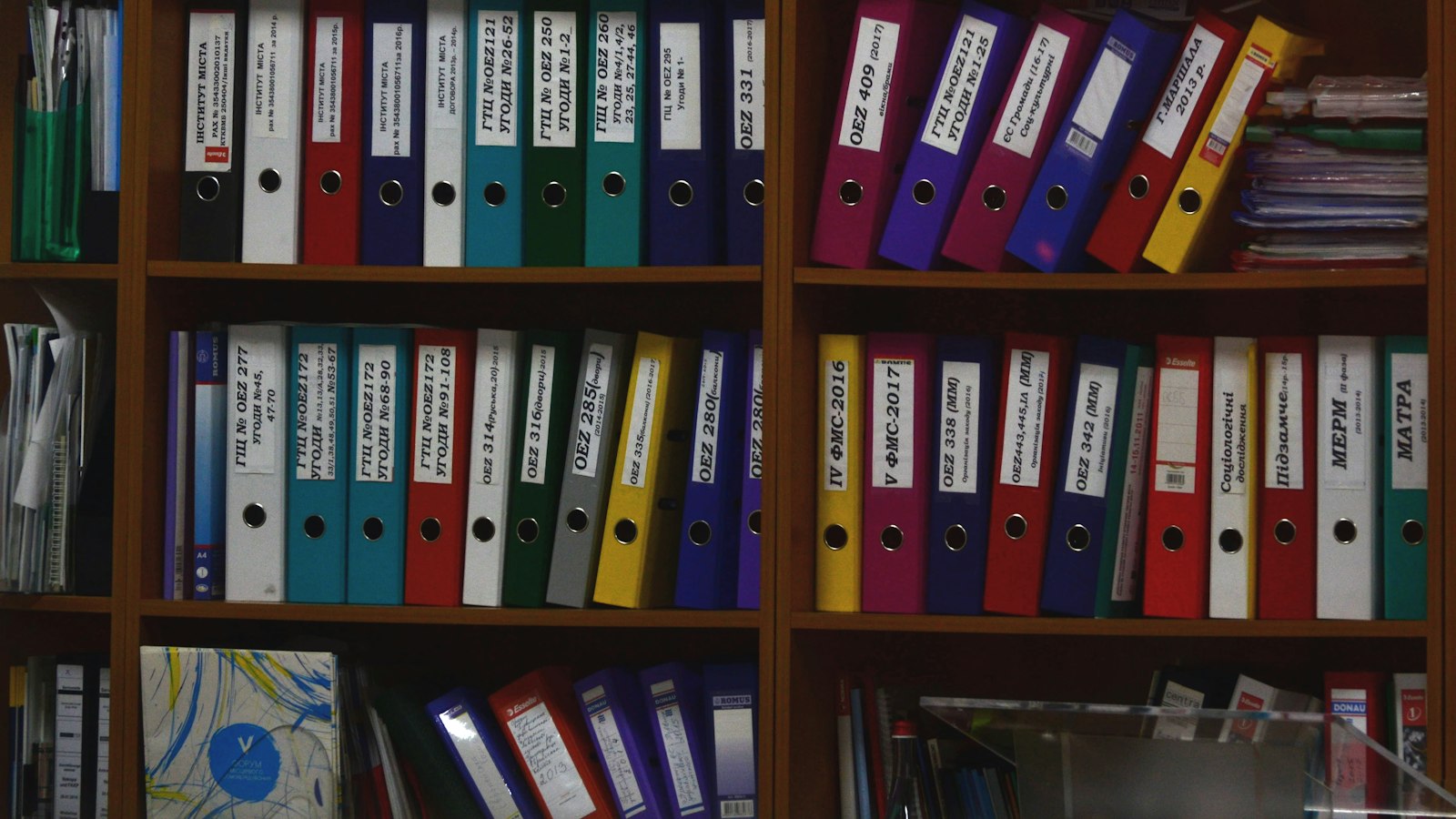
Think of the difference between asking a new hire a question on their first day and asking them the same question with the right binder open on the desk in front of them. Same person. Very different answer.
How does RAG work, step by step?
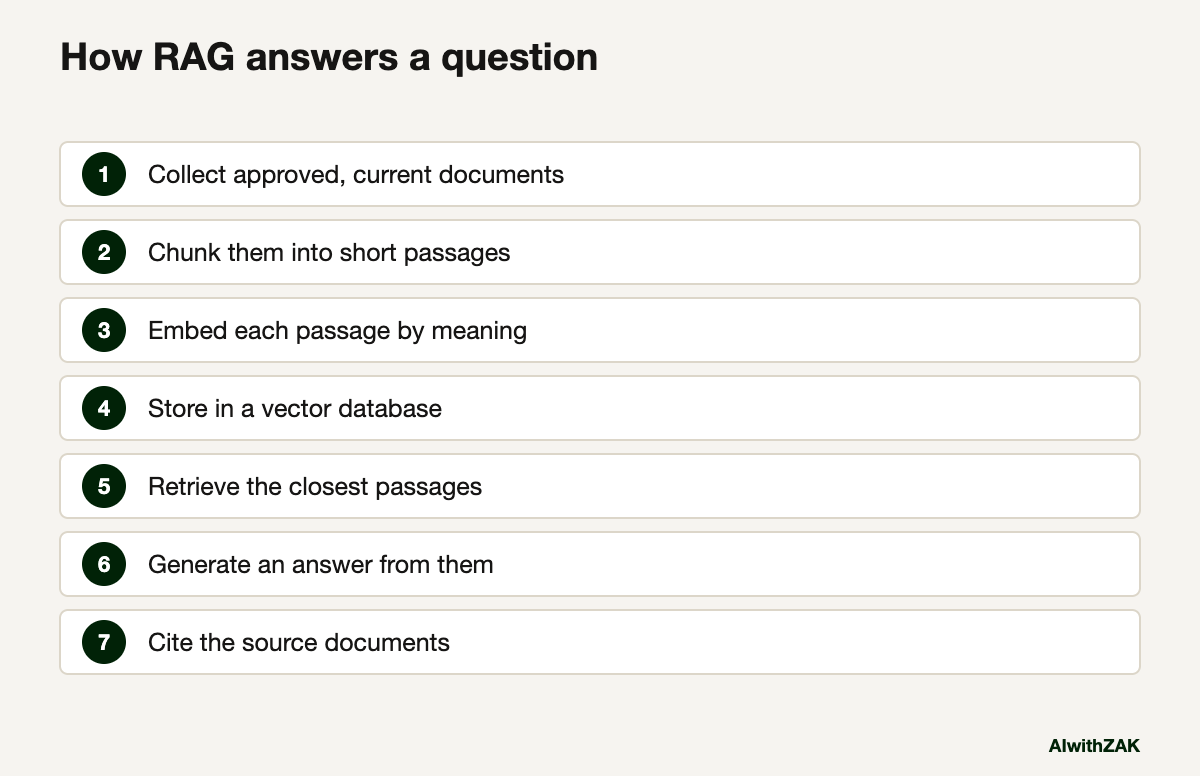
A RAG system prepares your documents once, then runs a short retrieve-and-answer loop for every question. Preparation splits documents into passages and indexes them by meaning. At question time, the system finds the closest passages, passes them to the model, and returns an answer with references.
| Step | What happens | Where it goes wrong |
|---|---|---|
| 1. Collect | Pick the documents the assistant may use: manuals, policies, past proposals, product sheets | Old versions sit next to new ones, and the model can’t tell which is current |
| 2. Chunk | Split each document into passages of a few paragraphs | A table or a procedure gets cut in half |
| 3. Embed | Turn each passage into an embedding, a list of numbers that captures what the passage means | Rarely the problem for a small business |
| 4. Store | Save the embeddings in a vector database, a store built to find passages with similar meaning | Permissions: a passage from HR shows up for someone who shouldn’t see it |
| 5. Retrieve | Turn the question into an embedding and fetch the closest passages | The right passage uses different words than the question and gets missed |
| 6. Generate | The model writes an answer from the retrieved passages | The model fills a gap with a confident guess |
| 7. Cite | The answer points to the documents it used | Nobody clicks the citation |
Look at the right-hand column. Only one of those failures is a technology problem. The rest are document problems, permission problems or people problems, which is why a tidy shared drive does more for RAG quality than a better model.
Once you know what RAG is, does your business need it?
You need a proper RAG setup when you have more documents than fit in one conversation, when they change often, or when answers go to customers. If your reference material is a few dozen files, the project features in your current AI tool are enough.
This is a live argument in the field. One camp says context windows, meaning how much text a model can hold in mind at once, have grown so large that RAG is becoming unnecessary. Anthropic’s current Claude Opus 5.5 and Sonnet 5 models take one million tokens, according to its models overview, which is several thick binders of text. Load the documents and ask. The other camp says RAG still wins once you have thousands of files, need answers to point at a source, or care about cost, because sending a whole library with every question is slow and expensive.
If the first camp is right for you, put your core documents into a project in ChatGPT or Claude, or a notebook in Gemini, and stop there. If the second camp is right, you are building or buying a proper retrieval system with permissions and citations. Either way, the first job is the same: decide which documents are current and approved, and remove the rest from wherever the assistant can see them.
| Your situation | What to use |
|---|---|
| Under 50 reference documents, internal use only | Projects or file upload in the AI tool you already have |
| Company files already in SharePoint or Google Drive | Microsoft 365 Copilot or Gemini in Workspace, after a permissions clean-up |
| Thousands of documents, updated weekly, used by field staff | A proper RAG system with version control and citations |
| Answers go straight to customers | A proper RAG system with citations, tight guardrails and human review of what it may say |
Illustrative example, not a client case study. A Nisku oilfield services company has 2,000 equipment procedures, some revised three times. Field technicians ask the same questions at 5 a.m. on a lease with one bar of signal. That is a RAG problem, and the expensive part isn’t the software. It is deciding which of the three revisions is the real one. The retiring expert problem is the same issue from the people side.
If you’re weighing up building something like that against buying it, custom AI or off-the-shelf walks through the decision.
Is RAG already built into the AI tools you pay for?
Mostly, yes. Microsoft 365 Copilot draws on your mail, meetings and files through Microsoft Graph. Gemini in Workspace works across Drive and includes Gemini Notebook for research on your own sources. ChatGPT and Claude both offer projects where you load reference files for the assistant to work from.
None of them calls it RAG on the pricing page. Microsoft’s enterprise data protection page describes Copilot using Microsoft Graph data. Google’s Workspace plan comparison lists Gemini Notebook. The Claude plans page and ChatGPT plans page both list projects. Grounding, projects, notebooks, connectors: different labels. The mechanism underneath is the same idea: find the relevant material first, then answer. For most Alberta companies under a couple of hundred staff, this built-in version is the right starting point, and the job is feeding it clean documents rather than building infrastructure. Stop re-explaining your company to AI covers how to set those projects up well.
Why does RAG still get answers wrong?
RAG fails when retrieval finds the wrong passage, when the right document is out of date, or when the model guesses instead of saying it doesn’t know. Grounding cuts errors a lot. It does not remove them, as the Stanford legal study measured.
For internal use, that means a person checks anything that goes into a contract, a quote or a safety decision. For customer-facing use, the stakes are higher. In February 2024, in Moffatt v. Air Canada, BC’s Civil Resolution Tribunal held Air Canada responsible for wrong bereavement-fare information its website chatbot gave a customer, rejecting the airline’s argument that the chatbot was a separate legal entity. What the Air Canada ruling means for your business covers that case in full.
So test it. Write 30 questions your staff or customers actually ask, with the right answers, and run them every time you change the documents or the tool. How to tell if an AI agent is working sets out the measures.
Paste this into your AI. Use it to find out how ready your documents are before anyone quotes you for a RAG build.
I want an AI assistant to answer questions from our company documents. We are a [number]-person [industry] business in Alberta. The documents are: [list the main folders or document types, roughly how many, and where they live]. The people asking questions would be [staff role / customers]. Tell me: 1) which of these documents are likely to cause wrong answers (duplicates, old versions, scanned PDFs, spreadsheets), 2) if the file or project features in [Microsoft 365 Copilot / Gemini / ChatGPT / Claude] are enough, or if we need a dedicated retrieval system, 3) the 10 test questions I should write first to check answer quality. Be specific and flag anything you can't judge without seeing the files.
So what is RAG to an Alberta owner? A search step you mostly already own. My position: most Alberta companies don’t need to build RAG this year. They need to clean up the shared drive and turn on the retrieval already inside the tools they pay for. Build only when the built-in version has been tested against real questions and has clearly run out of road.
Questions people ask
RAG stands for retrieval-augmented generation. The system retrieves relevant passages from a set of documents, then the AI model generates an answer based on those passages. The term comes from a 2020 research paper led by Patrick Lewis, presented at the NeurIPS conference. In business use, it usually means an assistant that answers from company documents and cites them.
RAG gives the model your information at the moment of each question by looking it up, so updating a document updates the answers. Fine-tuning retrains the model itself on your examples, which changes its style or behaviour but is slower and costlier to update. For answering from company documents, RAG is almost always the better fit.
No. It reduces them. A 2024 Stanford study of legal research tools built on retrieval found they still hallucinated between 17% and 33% of the time, better than general chatbots but well short of vendor claims. Errors come from wrong or outdated documents, missed passages and the model guessing. Test with real questions and keep a person reviewing high-stakes answers.
Only if you’re building your own system. A vector database stores documents as embeddings so the system can find passages by meaning rather than exact words. If you use the project, notebook or file features in Copilot, Gemini, ChatGPT or Claude, the vendor handles that storage for you, and you never touch a database.
For small document sets, often not. Current models such as Claude Opus 5.5 hold one million tokens, enough to load several thick binders and simply ask. RAG remains useful for thousands of documents, frequently updated material, answers that must cite a source, and keeping costs down, since sending an entire library with every question is slow and expensive.
The built-in versions cost nothing beyond the AI licence you already pay for, since Copilot, Gemini, ChatGPT and Claude all offer file or project features. A custom system adds build, hosting and maintenance costs that vary widely with document volume and integrations. The larger hidden cost is usually the staff time to clean up and maintain the documents.